Weddings
Bring together the candid moments your friends and family capture.
Explore wedding galleriesThe best moments are already on your guests’ phones. Give everyone one simple place to share them, without downloads, sign-ups or another group chat.
Free for up to 50 photo uploads. No guest account required.
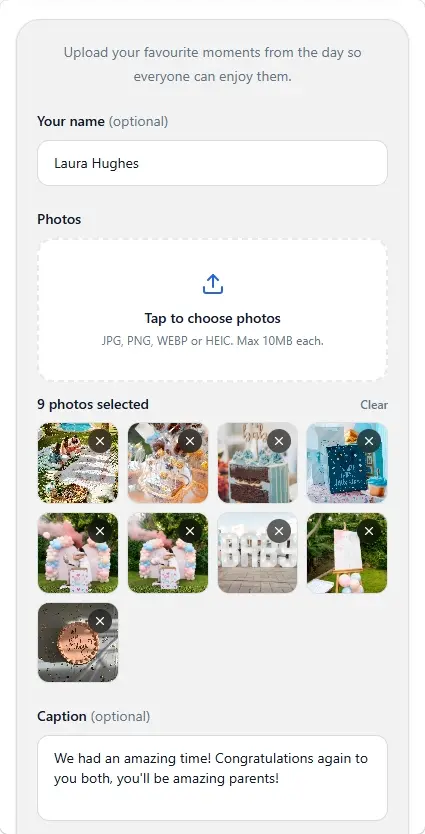
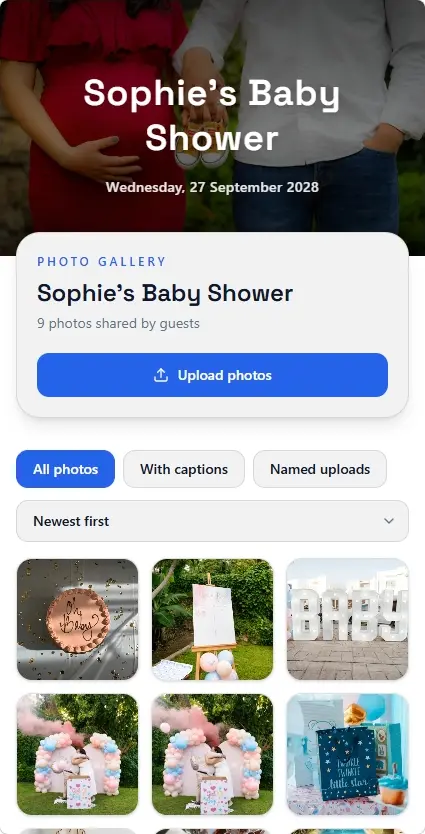
Keep it effortless
Your guests are there to celebrate, not troubleshoot an app. Make contributing a photo feel as natural as sending one.
Guests open your gallery in a web browser they already use. No app-store detour or phone storage needed for another app.
Friends and family can contribute without registering, remembering a password or waiting for an invitation email.
Send a single gallery link through a message, email or invitation. Everyone arrives at the same collection.
Weddings, birthdays and family get-togethers all deserve more than photos scattered across different chats.
From your guests’ point of view
Imagine sharing a photo after a brilliant night out. Your guests shouldn't have to make a new account just to contribute.
Tap the gallery link you sent them
Choose photos from their phone
Upload and return to the celebration
You'll create an organiser account to set up and manage the gallery. Your guests won't need one.
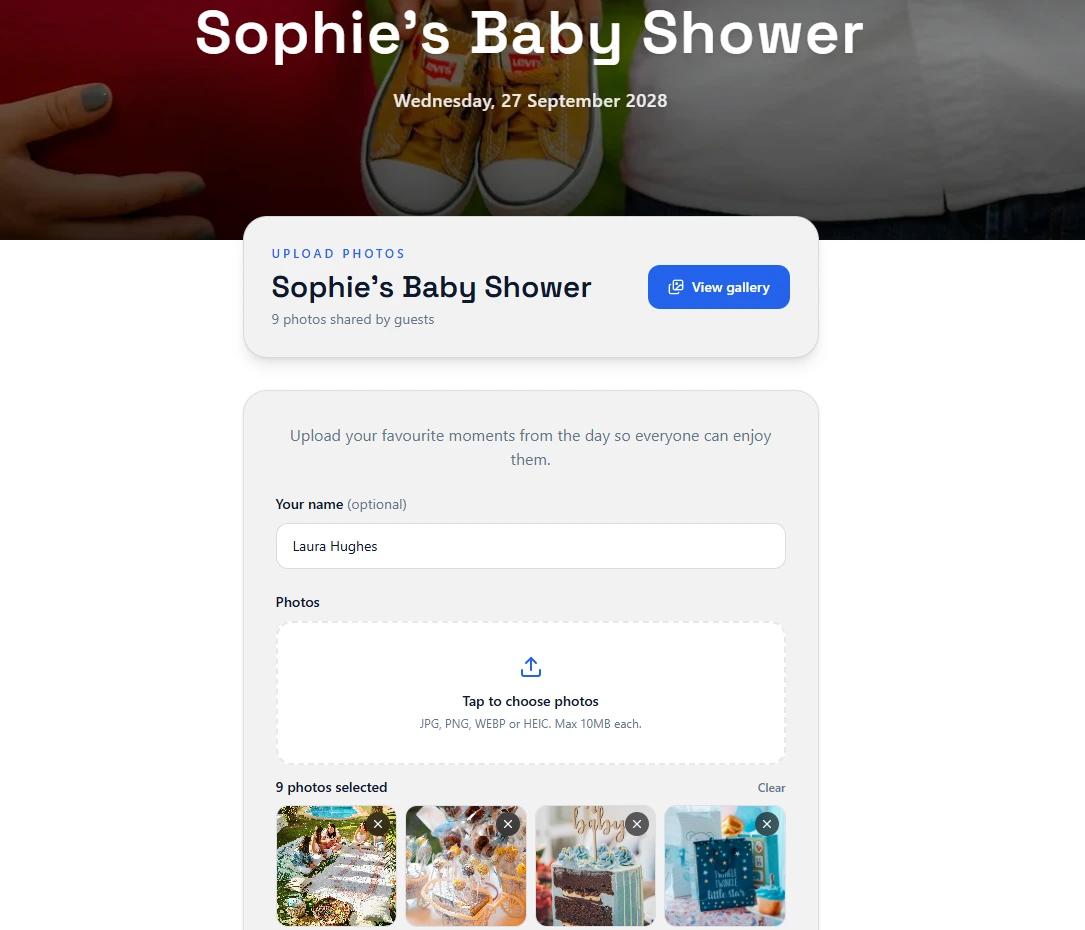
Three simple steps
Create the space once and let your event's photos come together without chasing people for individual files.
Choose an event name, add a cover image if you like and write a short welcome message. You can set it up before guests arrive.
Share the gallery link by text, email or invitation. Gallery Pro also lets you download a QR code for printed signs.
Guests open the page, select images from their device and upload. You can browse the collection and download the memories.
Planning a wedding? See how a wedding photo QR code can help guests reach the gallery from table cards and signs.
Small steps make a difference
Different people use different phones and photo apps. A browser-based gallery gives everyone the same starting point, even when your guest list spans generations and devices.
You can still use group chats or your favourite shared albums. MySimpleGallery simply makes the upload experience more consistent for your event.
*Some photo-sharing services require an app or login; others do not. Features vary by provider.
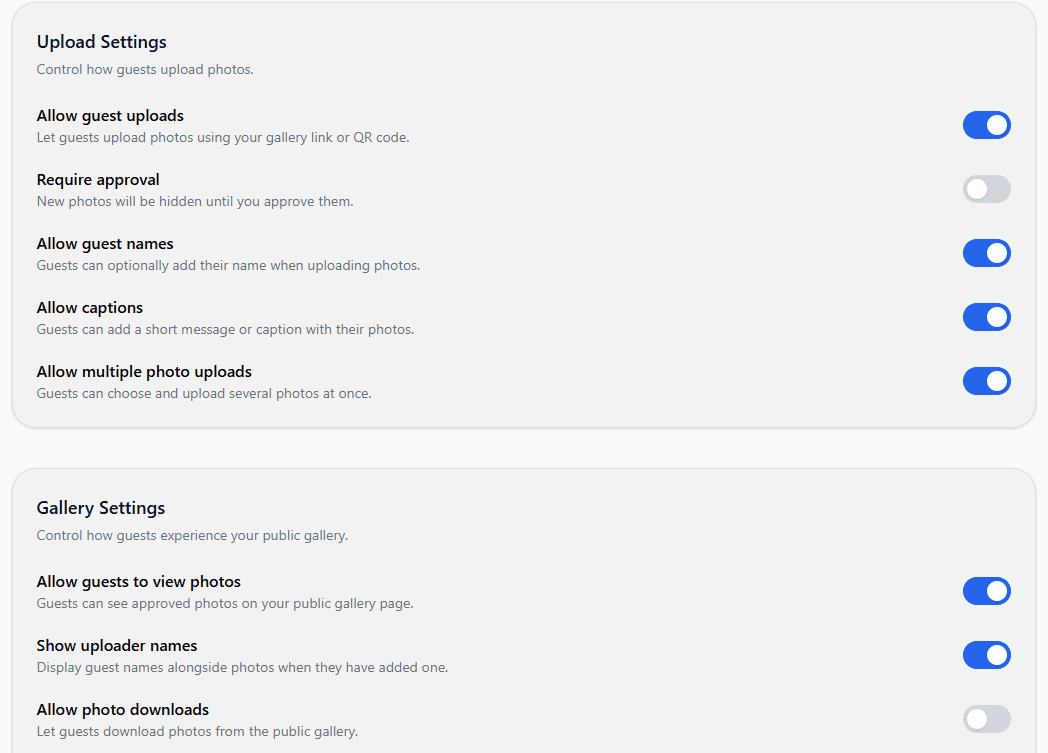
Simple for guests, flexible for you
Removing the guest login doesn't mean giving up the settings that matter to an organiser.
Whenever people get together
From a packed dance floor to a Sunday family celebration, give every guest the same straightforward way to contribute.
Bring together the candid moments your friends and family capture.
Explore wedding galleriesCollect photos from birthdays, graduations and big celebrations.
Explore event photo sharingMake it easier for different generations to add their favourite photos.
Explore event galleriesSimple one-time pricing
Set up a gallery and see how guest uploads work. Upgrade only when you're ready for more photos and a downloadable QR code.
Free gallery
£0
A simple way to test photo sharing with your guests, try it free before upgrading.
Gallery Pro
£18 one-time
Room for everyone's favourite memories, with no monthly subscription.
Also managing RSVPs? Combine MySimpleGallery with MySimpleRSVP Premium for £27 in our one-time bundle. Explore RSVP + photo sharing.
Galleries have an expiry date. Download important photos before their retention period ends.
Questions, answered
The practical details that matter when you're asking a whole group of people to join in.
Yes. They open the shared MySimpleGallery link in a modern browser, choose photos from their phone or computer and upload them directly. They do not need to install MySimpleGallery.
No. The event organiser creates an account to manage the gallery, but guests can upload and view photos without their own accounts.
Yes. MySimpleGallery is browser-based and designed to work on modern iPhone and Android browsers, as well as tablets and computers. Guests will need an internet connection to upload.
Yes. Gallery Pro includes a downloadable QR code you can place on a sign or table card. Guests scan it with their phone's camera to open the same gallery in their browser. Free galleries can be shared by link.
Each gallery uses its own unique, unlisted link. It is not a password-protected gallery: anyone who receives the link may be able to open it, so only share it with people you want to have access. You can enable upload approval to review contributed photos before they appear.
Yes. The gallery organiser can choose whether guest downloads are enabled. The organiser can also download the collection.
You can create a free gallery and receive up to 50 photo uploads. Gallery Pro costs £18 as a one-time payment per gallery and increases the limit to 5,000 photos, with a downloadable QR code. No monthly subscription is required.
No. Galleries have a retention period, so you should download and save the photos you want to keep before your gallery expires. Check the expiry date shown for your gallery.
Need help with a particular celebration or deciding how to collect guest photos? Start with these focused guides.
Create one gallery and invite your guests to add their moments. No app to download, no guest account to set up.
Get started for freeFree for up to 50 photo uploads.