A QR code for all your wedding photos.
Put one little QR code on your wedding tables and signs. Guests scan it, choose their photos and add them to your shared gallery. No app downloads, no chasing pictures afterwards.
Try the gallery free with 50 uploads. Downloadable QR codes are included with Gallery Pro (£18 one-time).
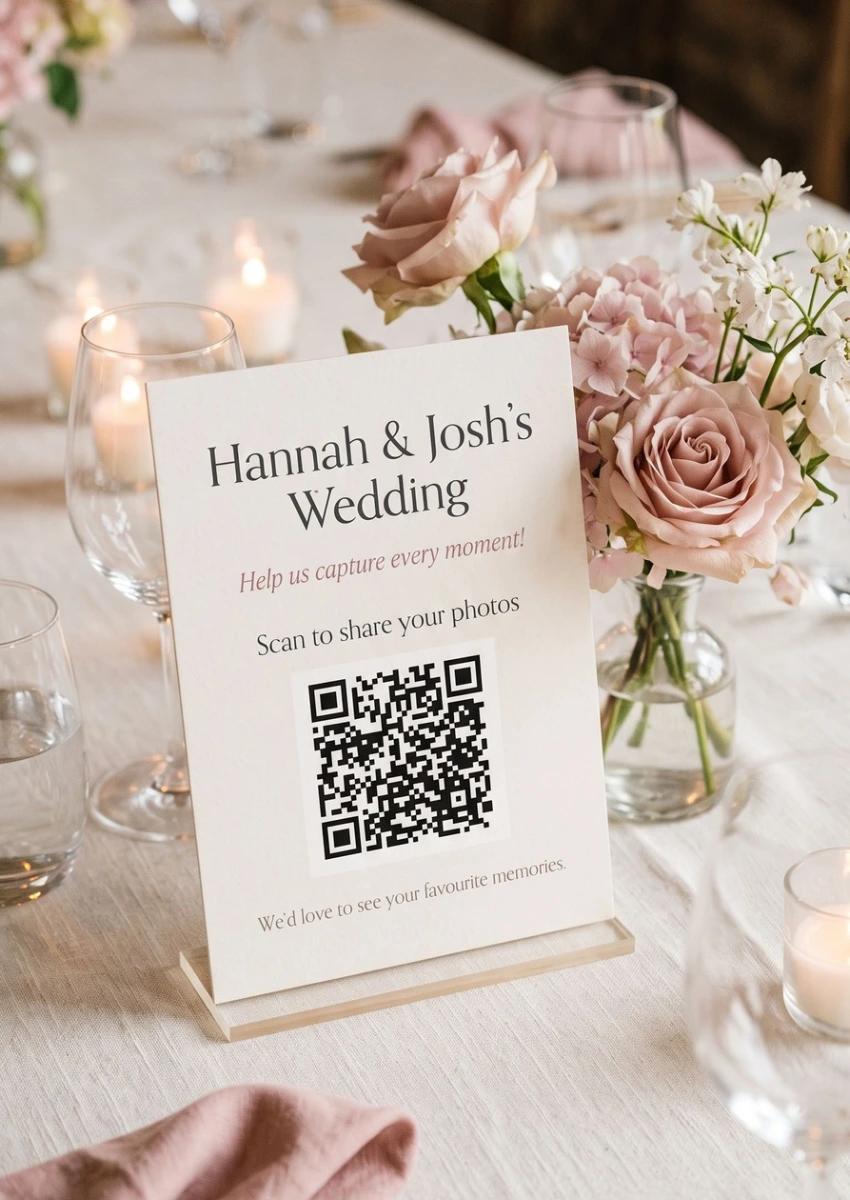
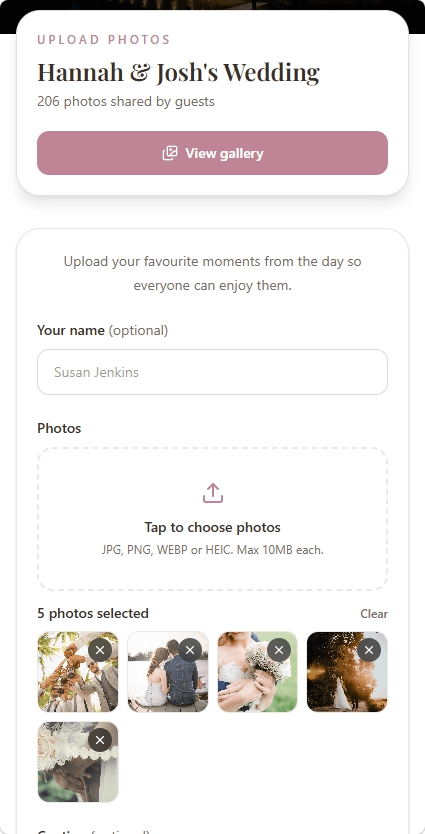
A simple idea with lovely results
One scan. So many different perspectives.
From the walk down the aisle to the last song of the night, your guests see moments you might miss. A wedding photo QR code gives them an easy way to share those pictures in one place, rather than scattering them across messages and group chats.
Point and scan
Guests use their phone camera to open the gallery link behind your QR code.
Choose their favourites
They select photos straight from their phones and upload them without signing in.
Everyone enjoys the collection
You and your guests can browse the shared gallery as photos arrive.
How to get your code
Set up your wedding photo QR code in three steps
No technical setup or separate QR-code subscription. Start with your gallery, then make it easy for guests to find.
- 01
Create your wedding gallery
Add your names, a cover image and a short welcome message. You can set it up before your wedding and try it with up to 50 free photo uploads.
- 02
Download your QR code with Pro
Upgrade your gallery to Pro, then download its QR code. Add it to your stationery, table cards or a welcome sign.
- 03
Guests scan and share
Guests point their phone camera at the code, open your gallery and choose their photos. No separate app or guest account is needed.
Make it part of the celebration
Where to put your wedding photo QR code
The best code is one your guests actually notice. A short, friendly invitation beside it makes sharing feel like part of the day, not another task.
Table cards
Place a small sign where guests are sitting, with a short invitation to share their candid photos.
Welcome or seating signs
Give guests a chance to find the gallery as they arrive, before the evening gets busy.
Wedding favours or programmes
Add the code to something guests will already have in their hands.
Next-day messages
Share the gallery link again after the wedding so guests can upload the photos still on their phones.
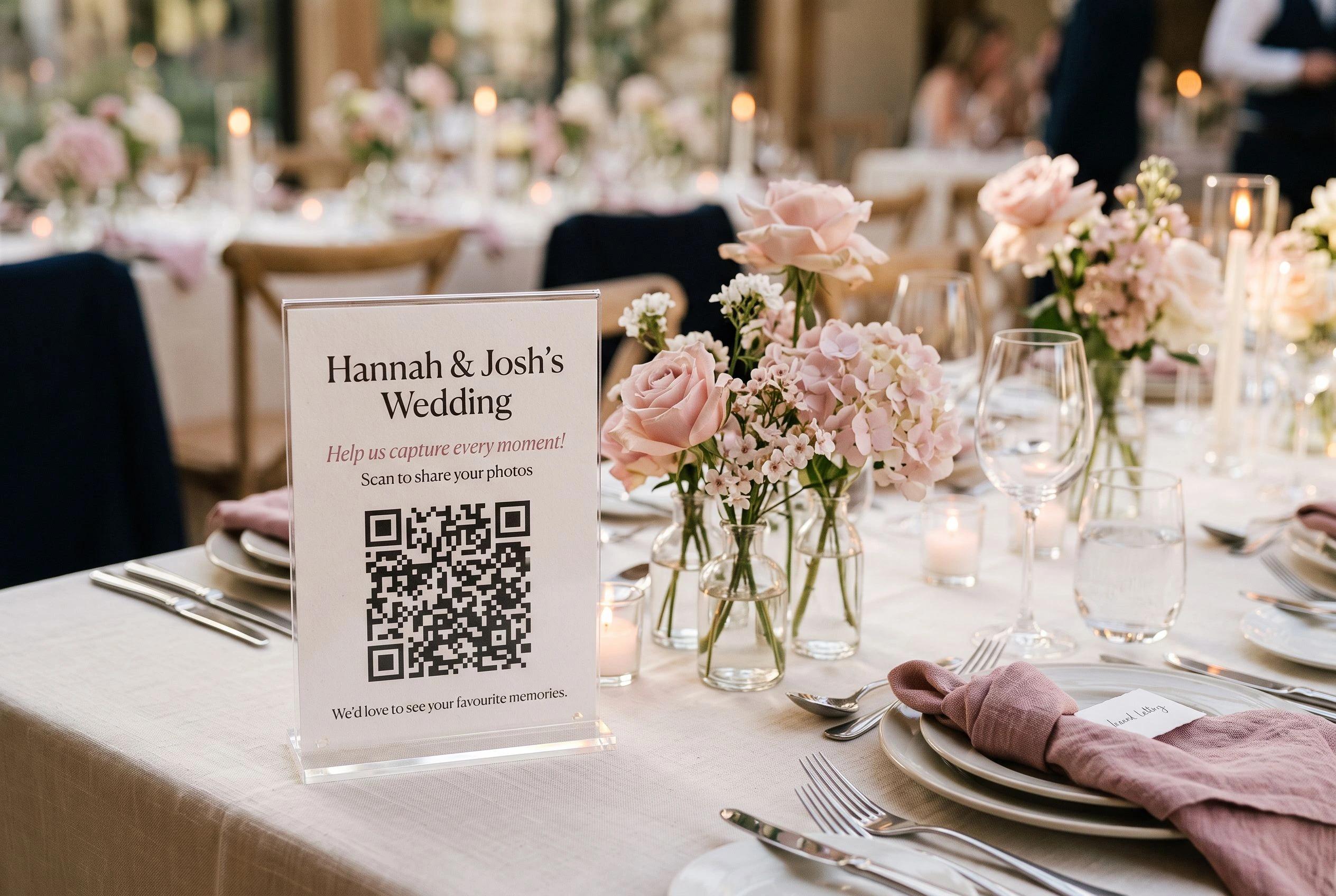
Example wording for your sign
We'd love to see your photos!
Scan the QR code and share your favourite moments from today. The candid ones are our favourites.

A few seconds of preparation
Make sure it's easy to scan
A beautiful sign is only useful if guests can open it. Before you send anything to print, do a quick test.
- Use the actual QR code downloaded from your Gallery Pro dashboard.
- Keep the code clear and high contrast, with space around all four edges.
- Avoid placing it over patterns or making it tiny on busy stationery.
- Test a printed copy using more than one phone, at a realistic viewing distance.
- Add a short caption so guests know they're sharing photos, not RSVPing.
If a guest can't scan the code, you can also send them the direct gallery link.
No surprise QR-code subscription
A code that points straight to your gallery
You shouldn't need an unrelated monthly QR-code plan just to let guests share wedding pictures. Your MySimpleGallery QR code links directly to your gallery, with no separate QR-generator subscription.
The QR code doesn't override your gallery's availability or expiry date. You can check the gallery's retention settings and should download your photos before it expires.
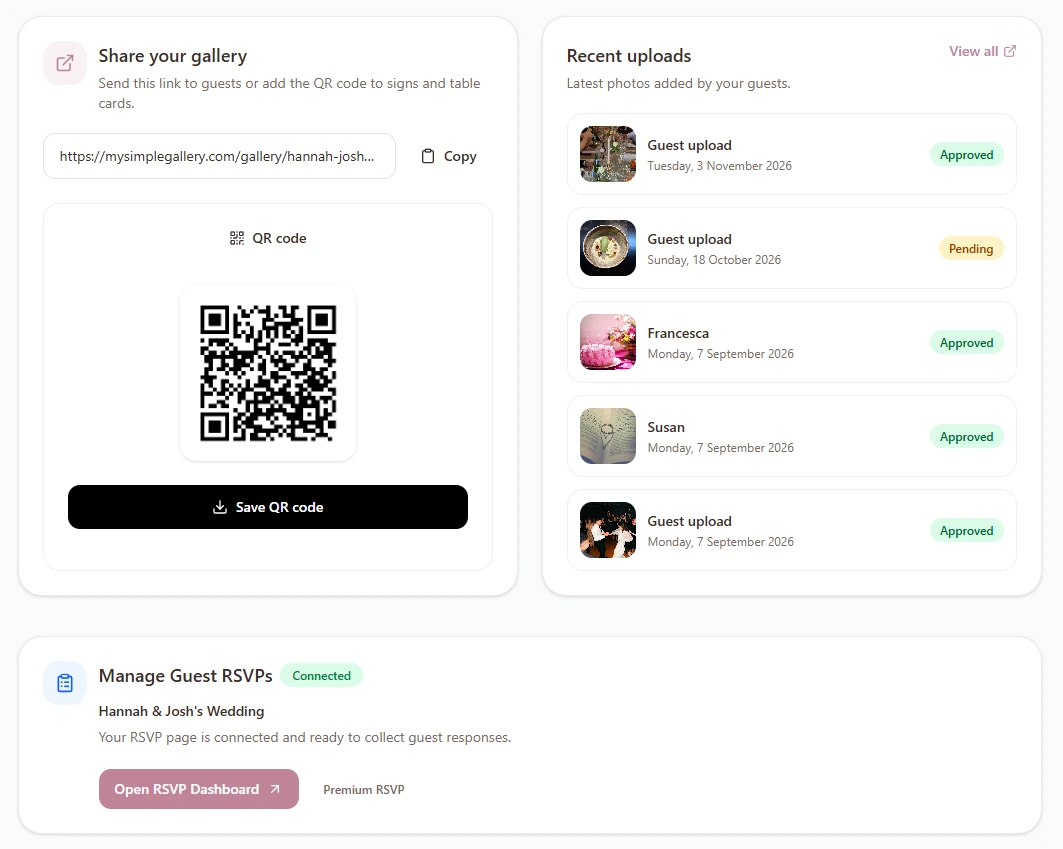
Straightforward one-time pricing
Try the gallery free. Add your QR code when you're ready.
Create your wedding gallery and try up to 50 uploads at no cost. Gallery Pro gives you a downloadable QR code and room for up to 5,000 photos, all for one payment.
Guests don't need accounts. You can also enable optional upload approval, manage what appears in the gallery and download the collection.
Need wedding RSVPs as well? Our RSVP + Photo Gallery bundle combines MySimpleRSVP Premium and MySimpleGallery Pro for £27, saving £7 compared with buying separately.
Explore the RSVP + Gallery bundleGallery Pro
Create your gallery for free, then upgrade to unlock your QR code.
- Downloadable wedding photo QR code
- Up to 5,000 guest photo uploads
- No apps or accounts needed for guests
- Optional upload approval
- Manage and download shared photos
No monthly subscription. Gallery retention limits apply.
Want to see everything else the gallery can do?
Discover the full wedding photo-sharing experience, from guest uploads to reviewing and downloading your favourite moments.
Explore wedding photo sharingMore ways to collect and share photos
Questions answered
Wedding photo QR code FAQs
How do I make a QR code for guests to upload wedding photos?
Create a wedding gallery with MySimpleGallery, upgrade to Gallery Pro and download its QR code. Add the code to a sign or table card. When guests scan it, they'll open your gallery in their browser and can upload photos directly.
Do guests need to download an app or create an account?
No. Guests can scan the code with their phone camera, open the gallery in a browser and upload photos without creating an account or installing an app.
Can I create a wedding photo gallery for free?
Yes. You can create a free gallery, share its link and try up to 50 photo uploads. Downloading the gallery's QR code is a Gallery Pro feature, available for a one-time £18 payment per gallery.
Will the QR code stop working after a few days?
MySimpleGallery's QR code points to your gallery link; it isn't a short trial from a separate QR-code subscription service. It works while the gallery link remains available. Galleries have an expiry date, so check your gallery's retention settings and download your photos before expiry.
Can guests upload photos after the wedding?
Yes, guests can use the gallery link or scan the code afterwards while the gallery is still active and accepting uploads. Sending a reminder the next day is a simple way to collect photos people didn't upload during the celebration.
How many photos can our guests share?
Free galleries allow up to 50 photo uploads. Gallery Pro increases that limit to 5,000 uploads for a one-time £18 payment per gallery.
Can I approve photos before everyone sees them?
Yes. You can enable optional upload approval to review guest photos before they appear in the shared gallery. You can also manage photos from your dashboard.
Is the wedding photo gallery private?
Each gallery uses its own unique, unlisted link. Anyone with the link or a photo of the QR code may be able to open the gallery, so only share it where you're comfortable. It isn't a password-protected gallery.
Can the same QR code collect wedding RSVPs too?
The photo gallery and MySimpleRSVP use separate guest-facing links and QR codes. If you'd like both services, the connected RSVP + Gallery bundle costs £27 as a one-time payment.
Give every guest a way to share the moments you missed
Set up your wedding gallery today. Add the QR code to your stationery when you're ready, and enjoy seeing the day through everyone's eyes.
Create your free wedding galleryFree to try. Gallery Pro includes the downloadable QR code.